

Why Small Businesses in Ghana Need Digital Inventory Management
Most shop owners know roughly what is on their shelves. Far fewer know exactly what sold last month, what expired, or what went missing. A practical guide to what digital inventory and point-of-sale systems can do for Ghanaian shops and supermarkets, what they cannot do, and how to start.

In this article
Ask the owner of a busy provisions shop how many bags of rice are in the storeroom, and they can probably give you a good estimate. Ask how many bags were sold last month, how many tins of tomatoes expired before anyone bought them, or how much stock simply went missing, and the answer usually becomes a guess. That gap between what an owner believes and what is actually happening is where small businesses quietly lose money. Digital inventory management is a way of closing it.
What inventory management actually means
Inventory management is knowing, at any moment, what you have, what it cost you, what you have sold, and when you need to buy more. Many Ghanaian businesses already do this on paper, in an exercise book or on stock cards, and a well-kept book can work for a small shop with a few dozen products.
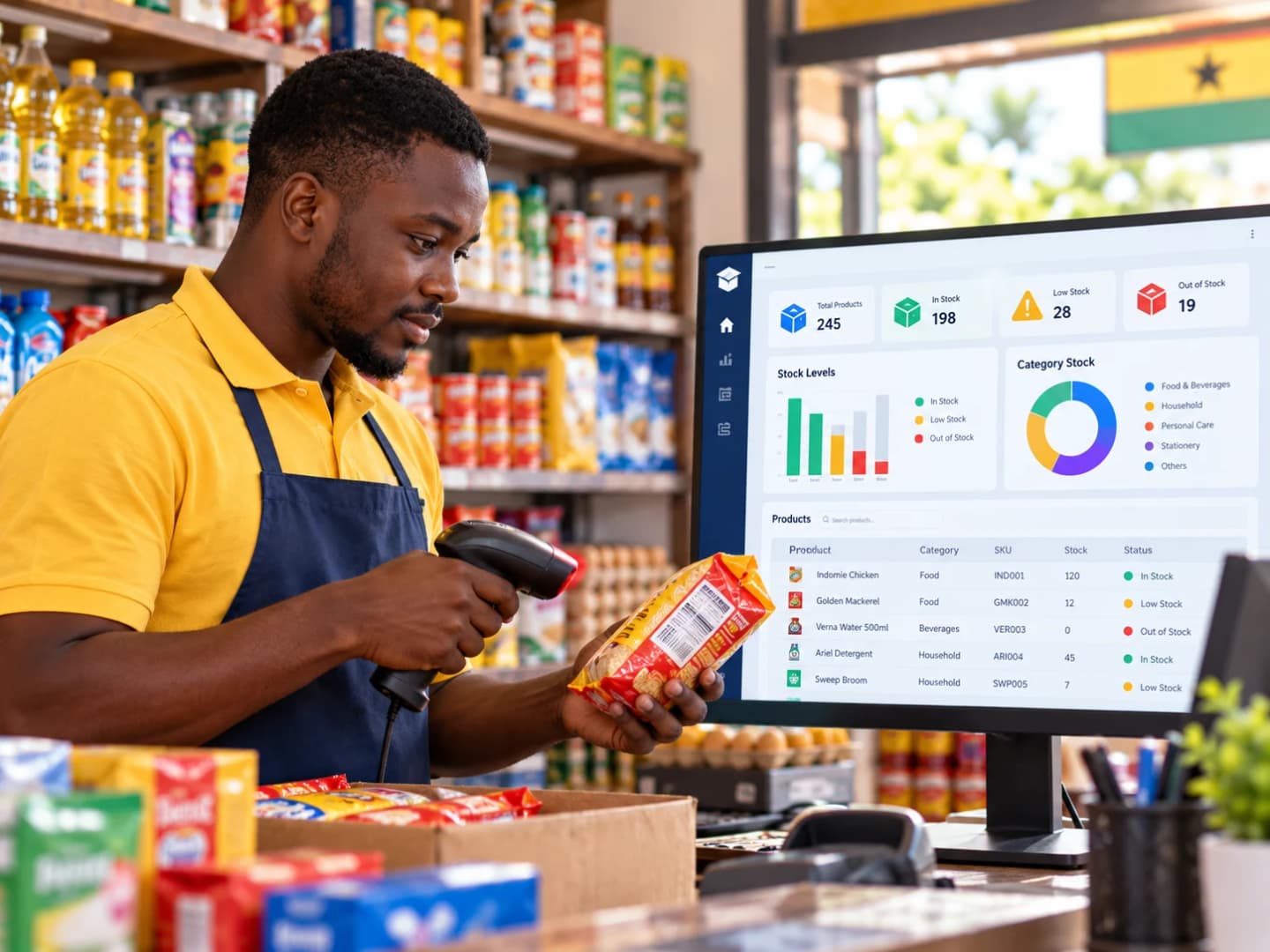
A digital system does the same job differently. Every delivery is recorded when it arrives, and every sale reduces the stock count automatically, usually through a point-of-sale (POS) system at the counter. The owner no longer has to add up columns at night to know where the business stands.
Five problems a digital system helps to solve
1. Not knowing what is in stock
In a mini-mart with hundreds of products, or a business with a shop and a separate storeroom, nobody can hold the full picture in their head. A digital system shows the current quantity of every item, wherever it is kept. A customer asking for a particular brand of cooking oil gets an answer in seconds, and the owner can see from home whether the shop is running low.
2. Running out at the worst moment
Every product can be given a reorder level: the quantity at which it is time to buy more. When stock falls to that level, the system flags it. This matters most for the items that sell fastest. Running out of sachet water, sugar or bread on a busy weekend loses sales and sends customers to the shop next door.
3. Sales records that cannot be trusted
When every sale goes through the system, each one is recorded with the item, quantity, price, time and payment method, whether cash or mobile money. At the end of the day, the expected cash and mobile money totals can be compared with what is actually in the drawer and the wallet. Discrepancies are found the same day, while they can still be explained, rather than weeks later.
4. Stock that disappears
Businesses lose stock in many ways: products expire, get damaged, are stolen by customers or staff, are delivered short by suppliers, or are simply recorded wrongly. On paper, these losses blend together into a vague sense that "the money is not adding up".
A digital system cannot prevent losses on its own, but it makes them visible. A regular stock count compared with what the system expects shows exactly which items are missing. Tracking expiry dates lets staff sell the oldest stock first, a practice known as first expired, first out, and put near-expiry items on promotion before they become waste.
5. Guessing what to reorder
Without records, reordering depends on memory and instinct. With them, it can be worked out. A simple and widely used rule is:
Reorder point = (average daily sales × days the supplier takes to deliver) + safety stock
Suppose a shop sells an average of 12 bags of rice a day, the supplier takes 3 days to deliver, and the owner wants 2 extra days of stock as a buffer. The reorder point is (12 × 3) + (12 × 2) = 36 + 24 = 60 bags. When stock falls to 60, it is time to order.
The same records show which products barely move. Money tied up in slow-selling stock is money that cannot be used to buy the items customers actually want.
Two situations every Ghanaian shop knows
Buying by the carton, selling by the piece
Many shops buy goods by the carton or the bag and sell them singly: a carton of 24 tins of milk, a bag of sugar sold in smaller measures, a pack of soap sold by the bar. A useful system records both units and converts between them, so that receiving one carton adds 24 tins to stock and each tin sold reduces it by one. Without this, stock counts drift quickly, because deliveries and sales are being recorded in different units. It also lets the owner set a wholesale price for the carton and a retail price for the piece.
Customers who buy on credit
Regular customers often take goods now and pay at the end of the week or month. In an exercise book, these debts are easy to lose track of. A system that records credit sales against each customer's name shows who owes what and for how long, and keeps stock accurate, because the goods have left the shelf even though the money has not yet arrived.
Choosing the right tool
POS system, inventory app or spreadsheet?
A POS system with built-in inventory records each sale at the counter and reduces stock automatically. It suits shops and supermarkets with many products and frequent sales, especially where barcodes are already printed on most goods.
A standalone inventory app or a spreadsheet needs sales and deliveries to be entered by hand. It costs little or nothing and can work well for a small shop with a limited range, provided someone updates it every day.
Questions to ask before you buy
Does it work without internet? Sales should continue during a network outage and sync later.
What happens when the power goes off? Budget for a battery backup (UPS) for the computer or till, or choose a system that runs on a tablet or phone.
Can it handle mobile money as well as cash, and sales on credit? Payments should be recorded by method so that each can be reconciled.
Can it sell in both cartons and pieces? If you break bulk, the system must convert between units.
Who can see and change what? A cashier should be able to make sales but not delete them or change prices. The owner should see everything.
Is the data backed up, and can you export it? Your sales history belongs to your business. Make sure you can get it out if you change systems.
What does it really cost? Add up the hardware (computer or tablet, barcode scanner, receipt printer, cash drawer), any licence or monthly subscription, installation, training and support.
Is there local support? When something stops working on a busy Saturday, how quickly can someone help?
If your business is registered for VAT
The Ghana Revenue Authority (GRA) runs an electronic VAT invoicing system, E-VAT, for VAT-registered businesses. It comes in two forms: a free e-invoicing system for businesses that do not have one, and a version that can be integrated with a business's existing invoicing system (GRA, E-VAT). If your business is VAT-registered, ask any POS supplier whether their system can work with E-VAT, so that you are not keeping two separate invoicing systems. Confirm your own obligations with GRA or a tax adviser. This article does not offer tax advice.
The limitations, honestly stated
Digital inventory is not magic, and it is not right for every business.
It costs money. The hardware, the software and the time spent setting it up are real costs. For a very small kiosk, a carefully kept book may be the better choice.
It is only as accurate as what goes in. If staff skip scanning some sales, or deliveries are never recorded, the numbers become wrong, and wrong numbers can be worse than none because people trust them.
The first stock count is hard work. Before the system can be trusted, every item in the shop has to be counted and entered.
Staff need training, and may feel watched. A new system can feel like a sign of distrust. Explaining that it protects honest staff from being blamed for losses helps.
You can become dependent on one supplier. If the provider closes or raises prices, can you move your data elsewhere?
A practical way to start
Count everything. Choose a day when the shop is closed or quiet and do a full stock count.
Name products consistently. Decide how each product will be named and coded, and use the barcode where one exists.
Set reorder levels for your top 20 sellers first. You can add the rest over time.
Record every delivery and every sale from day one. Gaps in the first weeks undermine confidence in the whole system.
Spot-check weekly. Count ten items at random and compare them with the system's figures. Investigate any difference.
Read the reports monthly. Look at best sellers, slow movers and losses, and adjust what you buy.
Conclusion
A small business does not need a sophisticated system to benefit from better inventory management. It needs accurate records, kept consistently, and the habit of acting on what they show. For many shops and supermarkets, a digital system is the most reliable way to build that habit, because it records each sale as it happens instead of relying on memory at the end of a long day. Chosen carefully and introduced properly, it turns stock from a source of guesswork into a source of information.
Try this week: List your ten best-selling products. For each one, write down how many you have now, how many you sell on an average day, and how many days your supplier takes to deliver. Work out a reorder point for each using the formula above. Even on paper, that one exercise will change how you buy stock.
Disclosure: MosTek Solutions develops point-of-sale and inventory software. This article is general guidance and does not recommend any particular product.
References
Ghana Revenue Authority. E-VAT. gra.gov.gh
About the author
Moses Bentum
Moses Bentum is a Ghanaian educator, software developer, and founder of MosTek Solutions. With a background in Science Education and Information Technology, he develops innovative software solutions for schools and businesses. His interests include artificial intelligence, educational technology, data analytics, and digital transformation. Through MosTek Insights, he shares practical knowledge, research perspectives, and technology-driven solutions.
More from Moses Bentum